
What are NVIDIA DSX and DSX Exchange.
NVIDIA DSX is NVIDIA's platform for designing, building, and operating AI factories. It covers the full stack, from the grid and the facility to the chips and the software that runs on them, so a site produces more useful AI output from the power and infrastructure it has.
DSX Exchange is the open source event bus within DSX. It carries real-time signals between power, cooling, building management, the grid, and the software that schedules compute, so the whole facility can operate as one system.
Once a facility publishes into DSX Exchange, the rest of the platform can act on that data.
Power
Live power telemetry from the BMS lets NVIDIA DSX MaxLPS allocate rack power dynamically and recover up to 40 percent of stranded capacity.
Cooling
A coolant leak event from the BMS lets NVIDIA Infra Controller cordon the affected nodes and move their workloads within seconds.
Grid
Demand-response signals reach the workload scheduler through NVIDIA DSX Flex, so the site can shed load when the utility asks.
The more of the facility that publishes into DSX Exchange, the more the AI factory can do with it.
Why your site should be DSX Exchange optimized.
GPU clouds run their sites on two numbers: tokens per watt and PUE. NVIDIA frames the AI factory as a power-constrained industrial system where the question is how much AI output each available megawatt can deliver, and DSX is built around that number. DSX MaxLPS moves rack power to where the workload is instead of reserving it for a peak that rarely comes, which NVIDIA projects at up to 40 percent more Rubin GPU capacity in a 100 megawatt AI factory. Liquid cooling at 45 degrees Celsius runs the plant with fewer chiller hours and improves annual PUE. DSX Flex makes the site a grid asset that can shed load within seconds when the utility asks.
None of that runs on GPU telemetry alone. The power software wants live meter data, the thermal agents want cooling headroom, the scheduler wants the grid event. NVIDIA's guidance to operators is to design or retrofit for DSX MaxLPS at the site level, existing facilities included, and DSX Exchange is the bus that carries the site into that loop, exposing seasonal cooling headroom and facility power events the software can act on. A facility that publishes runs as part of the AI factory. One that does not runs beside it.
A site that publishes offers the full stack on day one: dynamic power, cooling headroom, grid response, leak isolation, all fed by the plant. Its PUE and its tokens per watt move together.
That is the level the GPU clouds are building to. NVIDIA's cloud partners are deploying DSX components to bring capacity online faster, and when one of them evaluates your hall, the facility side either already speaks DSX Exchange or becomes an integration project on their critical path. Getting there takes the data you already have, published in the shape DSX Exchange expects. That is what Aravolta does.
Put your site on NVIDIA DSX Exchange in weeks.
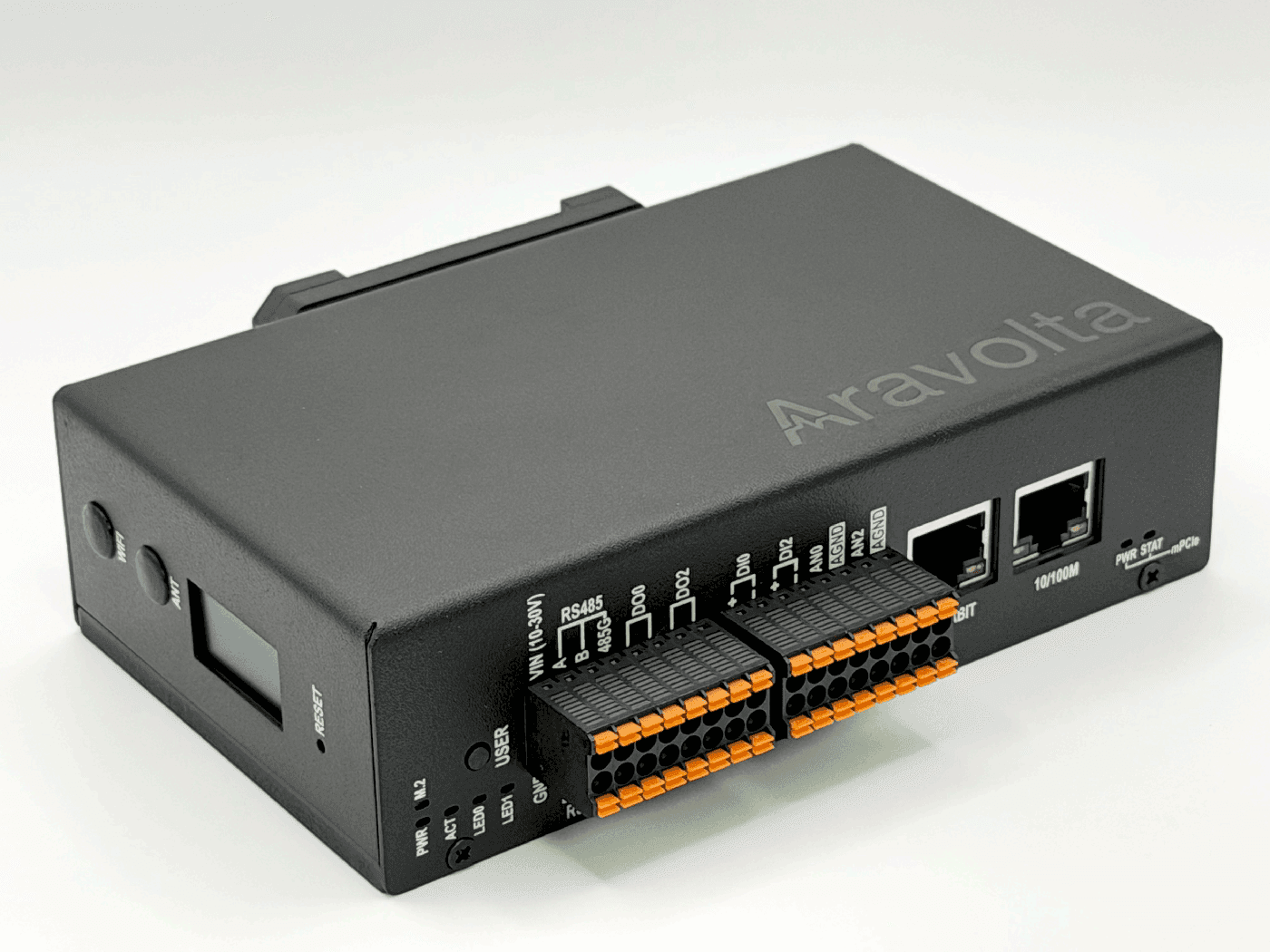
Aravolta puts a node in your data center. It scans the network, connects to the building and electrical equipment, and gives operators one API to read from and write to all of it. Aravolta nodes already run in more than 100 locations across eight countries.
For a new build, Aravolta can be the BMS and EPMS layer from day one, so the site publishes into DSX Exchange as the plant comes up. For an existing site, the data already lives across a BMS, an EPMS, controllers, gateways, meters, PDUs, and rack gear, each with its own protocol and naming. The Aravolta Node reads all of it and publishes it into DSX Exchange in the BMS AsyncAPI model, so those sites have an on-ramp too.
Either way, keep the BMS you have and Aravolta publishes alongside it, or let Aravolta fill the BMS role in the DSX Exchange specification. No controller reprogramming, no new gateways, no added work for your team. The same node runs your own dashboards, alerts, and controls through the Aravolta API, so it pays off beyond the AI tenant.

 DSX Exchange
What the Aravolta Node does for your site.
The node sits on your management network and talks to the Aravolta server, which runs fully air-gapped, on premises, or in the cloud, whichever your site requires. From there it does the work of a DSX Exchange publication in four stages.
Scan
Sweep the equipment networks you point it at, over their native protocols: BACnet, Modbus, SNMP, Redfish, IPMI, and your existing gateways.
Discover
Identify each device by make, model, and firmware, decode its points, and normalize units and state text.
Check
Verify ranges, units, quality, and identity, and hold anything ambiguous for your review before it publishes.
Publish
Send each point out as a paired value and metadata topic, with heartbeat and reconnect handled for you.
The node arrives already knowing most of your equipment. More than 46,000 make, model, and firmware versions are in its library, so recognized devices start reporting without anyone writing a register map. Anything we have not seen before, we onboard within 48 hours at no cost to you. Custom gateways and programmed controllers use your approved point list, since the same controller model runs a different program at every site.
What your equipment becomes on the bus
Aravolta maps each device it finds to the objectType and pointType names the DSX Exchange BMS schema defines, so the software on the other side gets the same names and units from every site. A few of the most common cases:
| Your equipment | Protocol | DSX Exchange objectType | Typical pointTypes |
|---|---|---|---|
| Rack PDU, busway tap | Modbus, SNMP | Rack | RackPower |
| Rack leak sensor, liquid manifold | Wired I/O, Modbus | Rack | RackLeakDetect, RackLiquidSupplyTemperature, RackLiquidReturnTemperature |
| RPP, PDU, switchgear meter | Modbus | PowerMeter | ActivePower, Current, Voltage, PowerFactor, Frequency |
| CDU | BACnet, Modbus | CDU | LiquidTemperature, LiquidFlow, LiquidDifferentialPressure, PumpSpeed |
| CRAH, CRAC, AHU | BACnet | CRAH, CRAC, AHU | AirTemperature, AirRelativeHumidity, FanSpeed, Status |
| Chiller, cooling tower, pump | BACnet, Modbus | Chiller, CoolingTower, Pump | LiquidTemperature, PumpSpeed, Status |
| UPS, ATS, generator, breaker | SNMP, Modbus | UPS, ATS, Generator, Breaker | Status, Available |
Rack power, leak detection, and coolant temperatures go live first, since they are what the rest of the platform uses most. Facility-wide electrical and cooling context follows behind them.
What the published data looks like.
DSX Exchange speaks MQTT 3.1.1, and facility data follows the DSX Exchange BMS AsyncAPI schema. The schema is public on GitHub, and Aravolta checks every topic and payload against it before the feed goes live. Every point gets a live value topic and a retained metadata topic.
Here is one power meter point as Aravolta publishes it, value and metadata side by side:
# Live value (QoS 0, publish-on-change)BMS/v1/PUB/Value/PowerMeter/ActivePower/dal01/rpp-2a/kw-total{ "value": 187.4, "timestamp": 1751457600000, "quality": 1 } # Retained metadataBMS/v1/PUB/Metadata/PowerMeter/ActivePower/dal01/rpp-2a/kw-total{ "objectType": "PowerMeter", "pointType": "ActivePower", "objectName": "DAL01-RPP-2A", "objectId": "DAL01-RPP-2A", "servesId": ["DAL01-PDU-1"], "engUnit": "kW" }Values publish on change at QoS 0 and republish every 100 seconds. Metadata is retained so new subscribers get context right away, and the publisher sends a heartbeat every 10 seconds. Topology is never guessed from tag names. Aravolta builds the objectId, servesId, and rackLocationId relationships from your single-line and rack IDs.
Publishing telemetry does not grant control. Write-back from DSX Exchange integrations is off by default. When you turn it on, your BMS stays the authority on every setpoint, as the DSX Exchange specification describes.
Four steps on your side.
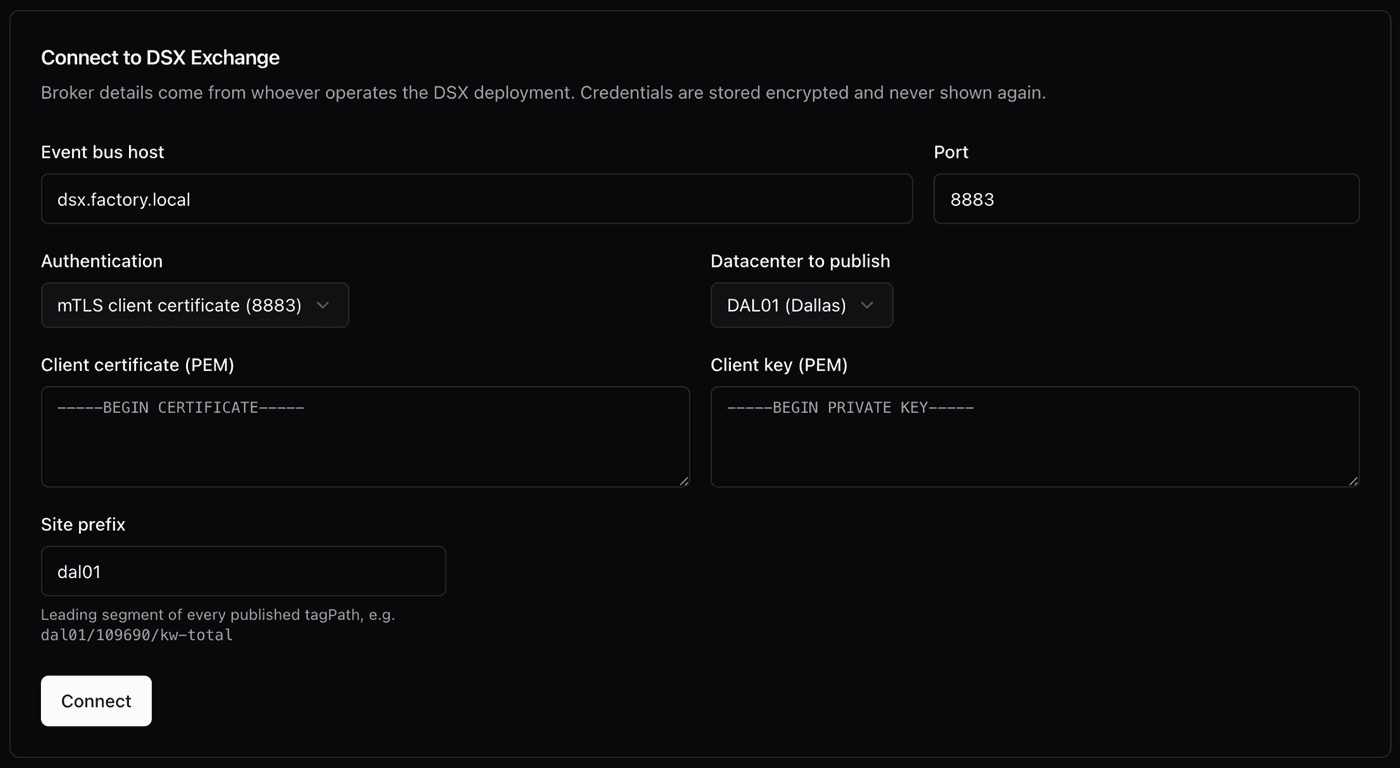
Aravolta handles the discovery, mapping, and publishing. Your side is four steps.
Connect the node
Power it up and allow it to reach your equipment networks and the Aravolta server.
Share the site model
Send the electrical single-line, your equipment and rack IDs, and point lists for custom gateways or programmed controllers.
Provide the DSX Exchange connection
Give us the broker hostname, port, and credentials. Aravolta supports mTLS client certificates and OAuth2 tokens.
Review and go live
Aravolta builds the publication scope. Your team reviews it, then checks live values, topology, update rates, and heartbeat before the feed goes live.
From node install to DSX Exchange optimized
Every site is different, but the shape of a rollout is the same:
- Day 1
Node on the management network. First scan of the equipment networks you approved.
- Week 1
Discovery complete. Recognized devices are decoding, unknown ones are queued for onboarding, and the site model and broker details are collected.
- Week 2
Publication scope built and reviewed with your team. Rack power and leak points go live first.
- Week 3 onward
Full electrical and cooling context live. Commissioning checks against site records and live conditions, then steady state.
NVIDIA DSX Exchange is open, so you can watch your own feed from any subscriber on the network:
mosquitto_sub -h <broker> -p 8883 \ --cert client.pem --key client.key --cafile ca.pem \ -t 'BMS/v1/PUB/#' -vCommissioning is complete when the published model matches your site records and live field conditions.
About Aravolta
Aravolta builds the controls and data layer for data centers: BMS, EPMS, and DCIM integration delivered as a node in the facility, with one API for monitoring and control. The company is based in San Francisco.
NVIDIA, NVIDIA DSX, and DSX Exchange are trademarks and/or registered trademarks of NVIDIA Corporation in the U.S. and other countries. Aravolta is an independent integration provider.
Start with your site
Get your colocation DSX Exchange optimized.
Send us your equipment networks, single-line, rack IDs, point lists, and broker details. We will map the path from your facility to a live DSX Exchange feed.
Building an integration on DSX? Aravolta can feed facility data from any site we run on. Same contact.