Utility intake to rack outlet,
every meter in between.
Interactive one-line diagrams, branch circuit monitoring, breaker and transfer tracking, and metered tenant billing. Sub-second polling on every meter.
“We went from manual tracking to real-time branch circuit and tenant-level visibility in weeks, not months.”

All feeds normal. UTIL-1 carrying 561 kW of IT load through ATS-1. Batteries full.
- Carrying load
- Energized, no load
- De-energized
- On battery
- On genset
Event console
0 alarm0 warn- All points nominal. No active events.
UTIL-1
EnergizedUtility service · 13.8 kV, 3 phase
13.80 kV
25 A
60.01 Hz
Modbus TCP · sub-second polling · read 16:48:20
It tours a utility outage on its own: generator start, transfer, and the UPS carrying the racks. Click any device or log line for its readings.
Every breaker, and what happens if a feed drops
Breaker Utilization shows the load on every branch breaker against its rating. Its Failover tab adds each cabinet's A and B feeds together, so you see which breaker would overload if the other side went down.
Per-phase current draw on each breaker, joined to the rack it feeds when known. Showing live values. Color thresholds: normal under 80%, warning 80 to 99%, critical 100% or more of rated current.
| Cabinet | Combined | Failover |
|---|---|---|
| R3-07 | 35.7A/ 30A | 119% Overload · +5.7A |
| R2-11 | 27.8A/ 30A | 93% At risk |
| R1-03 | 54.3A/ 60A | 90% At risk |
| R4-05 | 17.0A/ 20A | 85% At risk |
| R2-04 | 23.0A/ 30A | 77% |
| R3-12 | 45.3A/ 60A | 76% |
| R1-08 | 19.9A/ 30A | 66% |
| R4-09 | 12.2A/ 20A | 61% |
- One-line diagrams
- The single-line diagram follows your power path from utility intake through switchgear, ATS, UPS, and PDUs down to the individual breaker. Click a node and it shows live voltage, current, load, and status.
- Branch circuit monitoring
- Per-breaker load in every panel. You see load per circuit, stranded capacity, and what each tenant or rack draws. Alerts fire before a breaker trips.
- Breaker and transfer tracking
- Breaker status on every panel and RPP. ATS transfer events logged with timestamps. UPS bypass, generator starts, and source quality tracked, with an alert on each.
- Metered tenant billing
- Outlet and circuit metering feeds billing directly. Usage per tenant, per rack, and per circuit, exported or pulled over the API. Nobody keys readings into a spreadsheet or bills from an estimate.
The whole chain, stage by stage
From the utility service to the outlet, and what the EPMS reads at each stage.
- UtilityUtility service and step-down transformer
Current draw, power factor, and harmonic distortion on each feed, read continuously.
UTIL-1TX-1Current draw, power factor, and harmonic distortion on each feed, read continuously.
UTIL-1TX-1 - MDSMain distribution switchgear
Breaker status, bus voltage, and load on every feeder.
SWGR-ABreaker status, bus voltage, and load on every feeder.
SWGR-A - ATSGenerator and automatic transfer switch
Transfer time, which source is live (utility or generator), and transfer count. An alert on each transfer event and on source quality degradation.
GEN-1ATS-1Transfer time, which source is live (utility or generator), and transfer count. An alert on each transfer event and on source quality degradation.
GEN-1ATS-1 - UPSUninterruptible power supply
Input and output voltage, load percentage, battery health, runtime remaining, and bypass status. Predictive alerts for battery replacement.
UPS-AUPS-BInput and output voltage, load percentage, battery health, runtime remaining, and bypass status. Predictive alerts for battery replacement.
UPS-AUPS-B - PDU and RPPPower distribution units and remote power panels
Branch circuit monitoring at the panel. Current per breaker, phase balance, and trip alerts.
PDU-A1PDU-A2PDU-B1PDU-B2Branch circuit monitoring at the panel. Current per breaker, phase balance, and trip alerts.
PDU-A1PDU-A2PDU-B1PDU-B2 - Rack PDURack power distribution units
Outlet-level metering: voltage, current, power (kW), energy (kWh). Tenant billing runs off metered consumption.
ROW-1 to ROW-4Outlet-level metering: voltage, current, power (kW), energy (kWh). Tenant billing runs off metered consumption.
ROW-1 to ROW-4
The tags are the devices in the sample one-line above.
Capacity planning and trending
Actual headroom at every level of the power chain: switchgear, UPS, PDU, panel, circuit. Trends show load growth over time, so you add capacity while there is still headroom.
Custom formulas compute PUE, cost per kW, efficiency ratios, or any other derived metric across your equipment. The REST API feeds the same data into your portal, billing system, or tenant dashboards.
- Per-level capacity view: switchgear, UPS, PDU, panel, circuit
- Custom formulas for PUE, efficiency ratios, and cost allocation
- REST API: assets, metrics, alerts, capacity, billing
- Historical trends with configurable retention and export
Weekly average, Oct 2025 to Sep 2026
Now
285.6 kW
Min
197.6 kW
Max
285.6 kW
Avg
242.0 kW
Sample data. UPS-A at SITE-04 grew 45% in a year and runs at 38% of its rating, under the warning line.
Talks to any metering device on your network
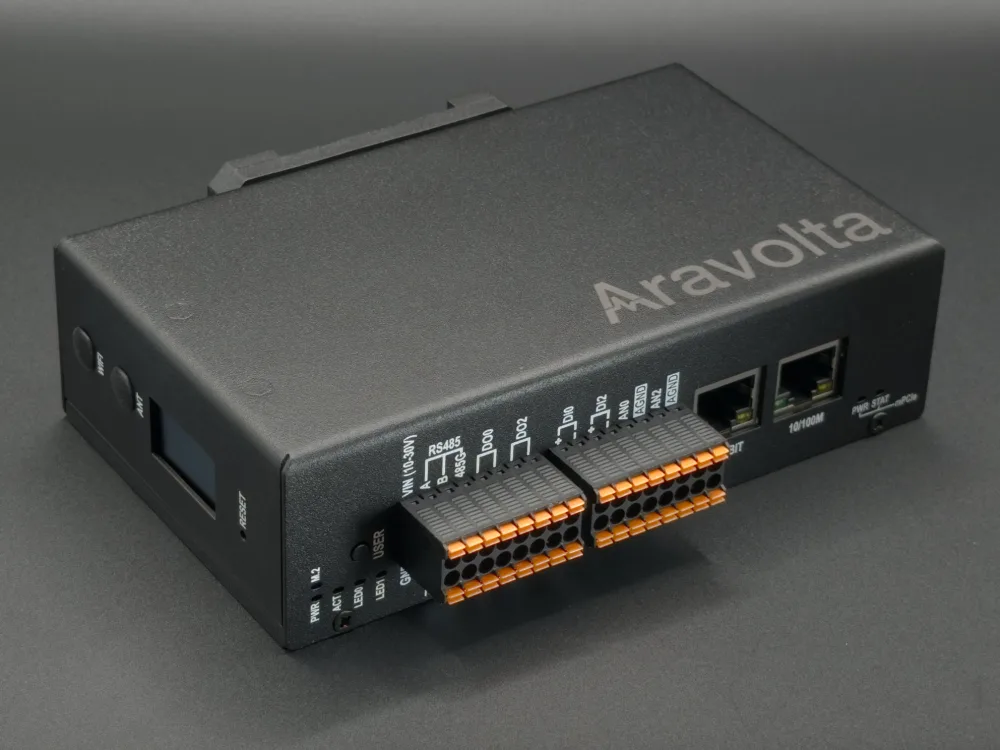
One Aravolta node per site sits on your management network, with no agents and no middleware. It scans the subnet, finds every networked meter, PDU, UPS, and panel, and matches each one against more than 46,000 device profiles.
Modbus TCP, Modbus RTU, BACnet IP, OPC-UA, LON, SNMP, and IPMI. We write custom drivers for vendor-specific protocols, and a device type we have not seen before is onboarded within 48 hours.
 Node · in your facility
In the demo, UTIL-1, TX-1, SWGR-A, and the PDUs answer over Modbus TCP, ATS-1 and GEN-1 over Modbus RTU, and UPS-A, UPS-B, and the rack PDUs over SNMP.
Alongside your EPMS, or in place of it
Aravolta runs alongside the power monitoring you have or replaces it. The REST API moves data both ways with third-party DCIM and BMS systems.
Eaton Foreseer, Siemens WinPM.net, and Schneider PowerLogic give you power data on its own. Cooling is in another system. Assets are in a third. Each takes months to deploy.
Power, cooling, assets, and capacity in one platform. When a breaker trips, the same view shows the thermal effect and which tenants are on that circuit. It is live in about two weeks.
“Quick and efficient to bring online... unified building, electrical, and network management... flexible and customizable.”

About two weeks from node install to live monitoring
A traditional EPMS rollout is six months of point mapping, register configuration, and MIB wrangling. The Aravolta node does that part itself.
How the node connects- 01
Install the node
One hardware node per site, plugged into your network. Physical setup takes two minutes. There is no rack-by-rack wiring and no serial daisy chain to pull.
- 02
Auto-discovery
The node scans the subnet and finds every networked meter, PDU, UPS, and panel. Nobody maps points by hand, loads MIB files, or keeps a Modbus register spreadsheet. You send credentials. The node does the rest.
- 03
Live in about two weeks
Power chain mapped, alerts configured, dashboards populated. A device added later is picked up on its own, or you add it and we build the template within 48 hours.
Frequently asked questions
Common questions on deployment, protocols, billing, and integration.
- What is an Electrical Power Management System (EPMS)?
- An EPMS monitors electrical power from the utility intake through switchgear, UPS, and PDUs down to individual circuits and outlets. Aravolta's EPMS polls every meter faster than once a second, draws the power chain as an interactive one-line diagram, and ingests every point each meter reports.
- How does Aravolta's EPMS differ from standalone systems like Eaton Foreseer or Schneider PowerLogic?
- A standalone EPMS gives you power data on its own and takes months to deploy. Aravolta keeps power, cooling, assets, and capacity in one platform. When a breaker trips, the same view shows the thermal effect and the tenants on that circuit, and the system is live in about two weeks.
- What does branch circuit monitoring include?
- Per-breaker load across every panel. You see load per circuit, stranded capacity, and consumption per tenant or rack at the circuit level. Alerts fire before a circuit overloads.
- What protocols does the EPMS support?
- Modbus TCP, Modbus RTU, BACnet IP, OPC-UA, LON, SNMP, and IPMI. We write custom drivers for vendor-specific protocols. Every discovered meter reports every point it exposes.
- How fast can the EPMS be deployed?
- About two weeks from node installation to live monitoring. The node discovers every networked meter, PDU, UPS, and panel on its own, so nobody maps points by hand or loads MIB files. The power chain map and dashboards populate from that scan.
- Can EPMS data be used for tenant billing?
- Yes. Outlet and circuit metering feeds your billing system over the REST API, and every reading is auditable and exportable. Nobody keys readings into a spreadsheet or bills from an estimate.
- How does EPMS integrate with DCIM and BMS?
- The EPMS is one part of the Aravolta DCIM platform, next to cooling, asset, and capacity management, so power chain data sits alongside thermal maps and BMS points. The REST API moves data both ways with third-party DCIM and BMS systems.
- What is a power chain diagram?
- An interactive single-line diagram of the electrical path from utility intake through switchgear, ATS, UPS, and PDUs to individual breakers. Click any node and it shows live voltage, current, load, and status.
See it on your site
One-line diagrams, branch circuit monitoring, breaker tracking, and metered billing, live in about two weeks.
- Sub-second polling
- Any meter vendor
- Live in about two weeks